
In Apex cheats, “loot display” usually refers to Loot ESP. It shows weapons, armor, attachments, ammo, and healing items directly on your screen, typically with names, rarity colors, and distance, and it works through walls.
Whether it can display loot isn’t the point—the point is whether it can filter out what you don’t need. A single building in a hot drop can contain dozens of items; showing them all means a screen full of text that blocks enemies. So when choosing and setting up loot ESP, look at filtering first, display second.
TopCheat’s Apex Legends product page lists four modules: loot ESP, glow ESP, predictive aimbot, and no recoil. Specific filter options—such as whether custom whitelists are supported or whether the loot layer can be toggled with a hotkey—are not detailed on the product page. Confirm on the page or with customer service before ordering.
What Loot ESP Can Highlight in Apex
Based on Apex’s loot categories, loot ESP typically covers:
- Weapons: Shown by weapon name, making it easy to tell if it’s the gun you want.
- Armor: Body shields, helmets, knockdown shields, backpacks. These matter most for survival early on.
- Attachments: Sights, magazines, barrels, stocks, and Hop-ups. High-tier attachments are rare and worth filtering separately.
- Ammo: Light, heavy, energy, shotgun, sniper, etc. Filtering by your current weapon type is more useful.
- Healing items: Syringes, med kits, shield cells, shield batteries, Phoenix Kits.
The common annotation style combines three elements: rarity coloring (white, blue, purple, gold corresponding to in-game quality tiers), text labels, and distance readouts. Whether supply bins and other containers can be marked separately, or whether items inside death boxes can be shown, depends on the specific version’s implementation. If the product page doesn’t state it, don’t assume it’s supported.
This Season’s Loot Changes Leave Less Time to Search
According to EA’s patch notes for the Marked season (August 2026) and the mid-season update (September 2026), the developers streamlined loot acquisition channels on the map, adjusted the distribution of supply bins, loot rollers, and high-tier attachments, and removed some extra resource mechanics.
The direct impact for players: the time window to gather armor, key attachments, and healing items after dropping is shorter. The value of loot ESP therefore shifts from “seeing everything” to “locking onto a few key items within seconds.” For specific distribution changes per map and mode, refer to EA’s official patch notes. Don’t apply experience from one map to all maps.
Stage-Based Filter Setup: A Reference Approach
Loot needs change a lot during a match. Using the same filter rules throughout will miss items early and be too noisy late. Below is a reference setup for three stages; adjust the specific values to your habits.
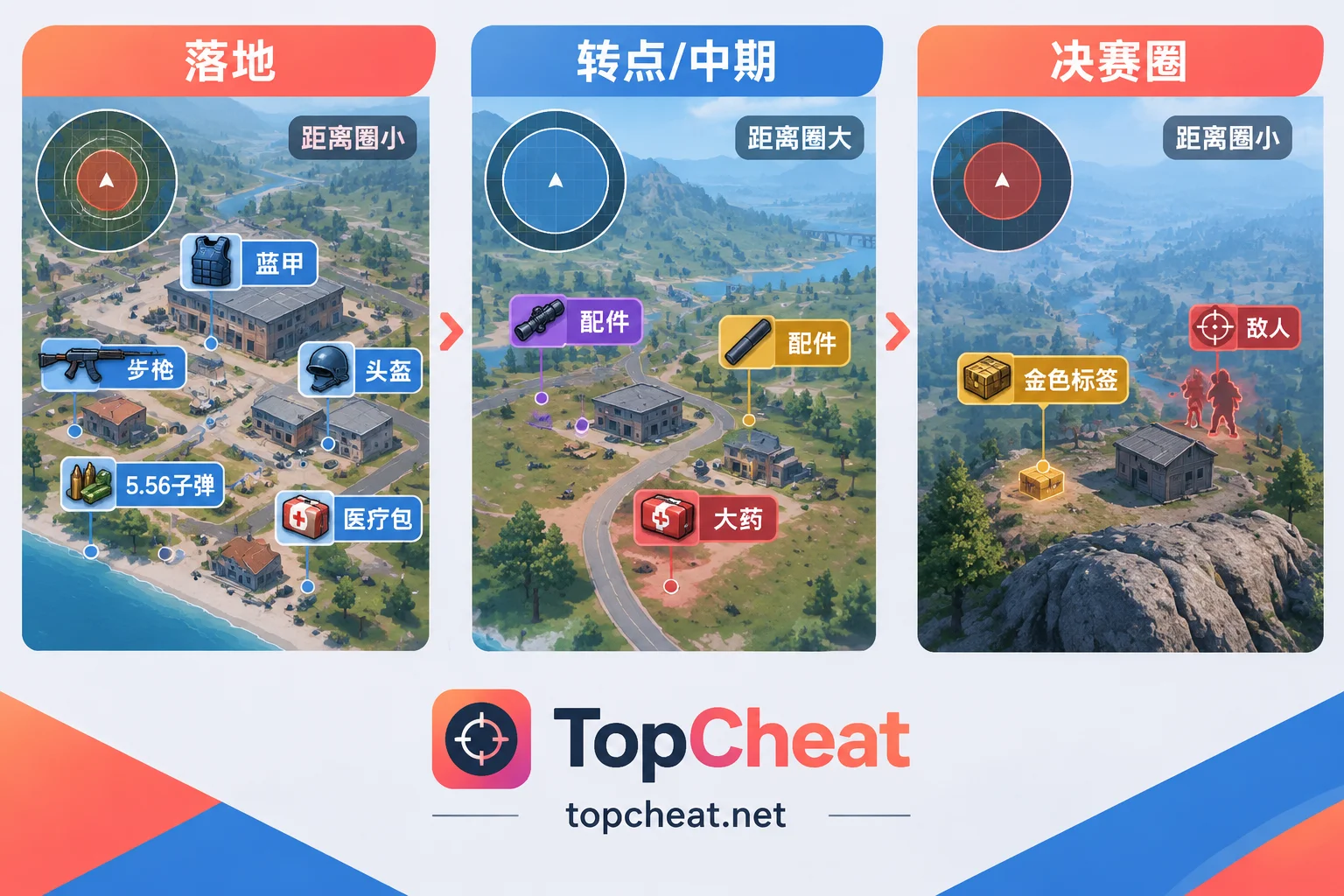
Drop to first fight (roughly first 60 seconds)
- Show all weapons to get a usable gun first.
- Show armor only blue and above. White armor can be picked up along the way without special highlighting.
- Show only ammo types matching your current weapon.
- Set a shorter distance limit, say 30–40 meters, to see only the current building and next door.
Rotation and mid-game
- Turn off white loot.
- Keep only purple and gold attachments, plus the one or two parts your weapon is missing.
- Keep shield batteries, med kits, and Phoenix Kits; decide on smaller items based on remaining backpack space.
- Widen the distance to judge whether detours on rotation routes are worth it.
Final circle
- Keep only gold loot and critical healing items, or turn off the loot layer entirely.
- At this stage, the most important information on screen is enemy positions, so the fewer loot labels the better.
If your version doesn’t support hotkey switching, set up one or two common rule sets before entering a match to avoid changing settings mid-fight.
How Loot ESP and Glow ESP Work Together
Their roles are clear: loot ESP shows items, glow ESP shows people. When using both, keep two things in mind:
- Don’t clash colors. If enemy glow uses gold or purple, it easily blends with high-tier loot labels. Enemies should use colors completely different from rarity colors.
- Prioritize enemy info. When enemies are nearby, loot labels should shrink and not obscure character outlines. This is the main reason to turn off low-tier loot display in mid-to-late game.
Predictive aimbot and no recoil are a different category of features that affect shooting and are not directly related to loot ESP. Decide separately whether to enable them as needed.
Other “loot hunting” games have similar filtering concepts, but rules can’t be copied directly. For example, Tarkov focuses on item value—see How to Set Loot Filters in Escape from Tarkov Cheats. Apex uses rarity tiers, so the filtering logic is simpler, but the challenge is the fast pace.
Check These Before Ordering
- Current maintenance status. After each Apex season update, mid-season update, and minor hotfix, cheat compatibility may change. Refer to the real-time maintenance announcements on the product page, not just historical descriptions.
- Whether filter options meet your needs. Ask specifically whether you can set rarity, category, and distance separately, and whether hotkey switching is available. These details are not fully listed on the product page.
- License duration. Apex versions come in daily, weekly, and monthly cards. If you haven’t confirmed the filters work for you, buy a short duration to try first, then extend if it suits you.
- Device binding. TopCheat’s device binding rules are independent per game. For Apex, binding and unbinding conditions follow the Apex product page. Don’t apply rules from other games.
- Account risk. Apex has anti-cheat detection, and any third-party cheat carries the possibility of account penalties. Feature descriptions on the product page are not a safety guarantee.
For the feature list, current pricing, and maintenance status, see the TopCheat Apex Legends cheat product page.



Comments(0)