
Rust resource ESP marks collectible and lootable targets on the map directly. Ore nodes, crates, barrels, ground pickups, and player-dropped backpacks are shown with boxes, names, and distance labels, visible through trees, rocks, and buildings, even at night. It solves "where is it," not "how fast can I farm." Gathering speed, inventory capacity, and tool durability still follow the game's own rules.
What Resource ESP Displays
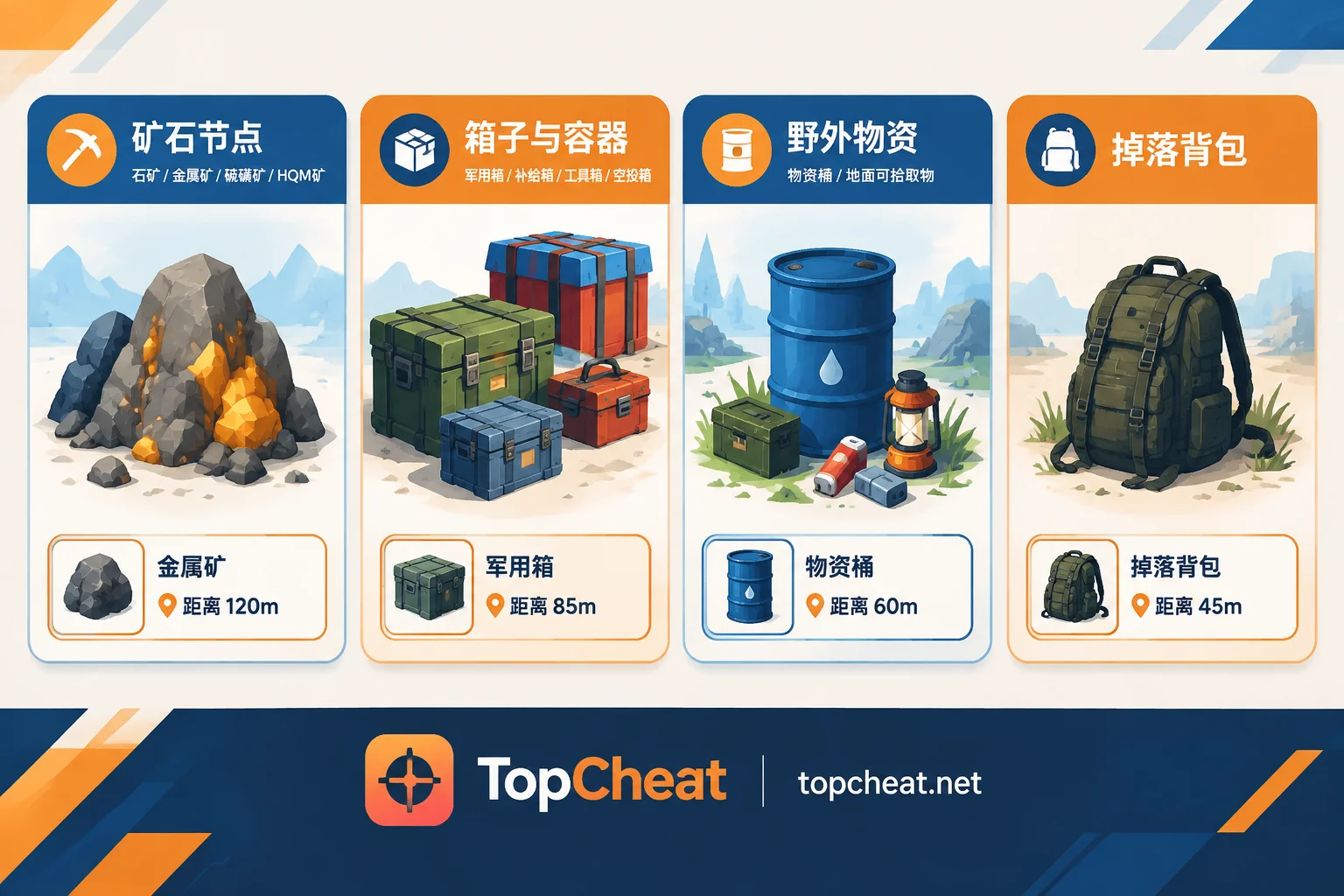
Targets fall into roughly four categories:
- Ore nodes: stone, metal, sulfur, and the newly independent high-quality metal (HQM) deposits.
- Crates and containers: military crates, supply crates, toolboxes, airdrop crates, etc.
- Field resources: roadside barrels and ground pickups.
- Dropped items: backpacks left by dead players.
TopCheat's Rust product page lists resource ESP, crate ESP, and player ESP as three separate modules, plus admin tags and no recoil. Which categories can be toggled and what label styles are available depends on the product page description and the current client settings.
After the September Update, HQM Deposits Became a Separate Ore Target
Facepunch's Breach and Clear update in September 2026 adjusted ore and resource ecology. Independent HQM nodes and ground pickups were added across the island, with higher spawn rates in jungle biomes.
Previously, field gathering focused on sulfur, metal, and stone. Now HQM deposits are worth seeking out specifically. They are few in number, and jungle vegetation is dense, so they are easily missed by eye. Resource ESP saves the most time here.
If you need high-quality metal this wipe, try this:
- Assign HQM deposits a distinct, bright color, separate from regular metal.
- Favor jungle areas in your route.
- Temporarily disable other ore types to avoid label clutter.
Settings Approach: Show Only What You Need Works Better Than All On
With everything enabled, the screen fills with labels, making it hard to find what matters and potentially blocking distant players. Configure in this order:
- Select ore types by current stage. Early wipe for base building and tools: focus on stone and metal. When preparing explosives and raid supplies: prioritize sulfur. When you need high-tier materials: enable HQM separately.
- Set a distance limit. Ore nodes too far away may already be mined by the time you arrive. Near-to-mid range targets are most useful and keep the screen cleaner.
- Toggle crate ESP with your route. Enable military and supply crates when looting monuments and military bases. Disable when purely mining to reduce clutter.
- Keep player ESP on while mining. In Rust, swinging a pickaxe at an ore node locks your view and makes noise, making you an easy target. Resource ESP finds ore; player ESP watches for approaching players. Using both is more practical than resource ESP alone.
- Keep admin tags on. They help identify online moderators and assess the server environment.
What Resource ESP Cannot Do
It is not a full-map ore map. Rust servers only sync entities within a certain range of the player to the client. Ore nodes and crates beyond that range have no local data, so any ESP relying on client data cannot display them. Its effective range is making everything within your synced range visible, not letting you see the whole island from home.
Highlighted does not mean guaranteed. Distant targets may be mined or looted by others before you arrive. So don't set distance limits too high; prioritize nearby targets.
Re-verify after version updates. Rust updates frequently. After each client update, cheat compatibility and running status need to be rechecked. The product page also states there is no permanent ban-proof guarantee. Admin tags only help identify moderators, not avoid all checks.
How to Choose Daily, Weekly, or Monthly Cards
TopCheat's Rust cheat is sold as daily, weekly, and monthly cards. The key is bound to a single device and cannot be used on other games or platforms. Current pricing, promotions, and unbinding conditions are subject to the product page at the time.
Choose based on your server's wipe schedule:
- Only rushing resources early in a specific wipe: a daily card is enough. The first few days are when ore nodes and monuments are most contested.
- Playing on a fixed weekly wipe server: a weekly card covers one cycle.
- Long-term play or rotating between servers: a monthly card is more convenient.
For first-time use, start with a short-term card to confirm it works on your usual server and current version before considering a longer one.
Once you know which modules you need, visit the TopCheat Rust cheat product page to check the current description, compatibility status, and prices for resource ESP, crate ESP, and other features.



Comments(0)