
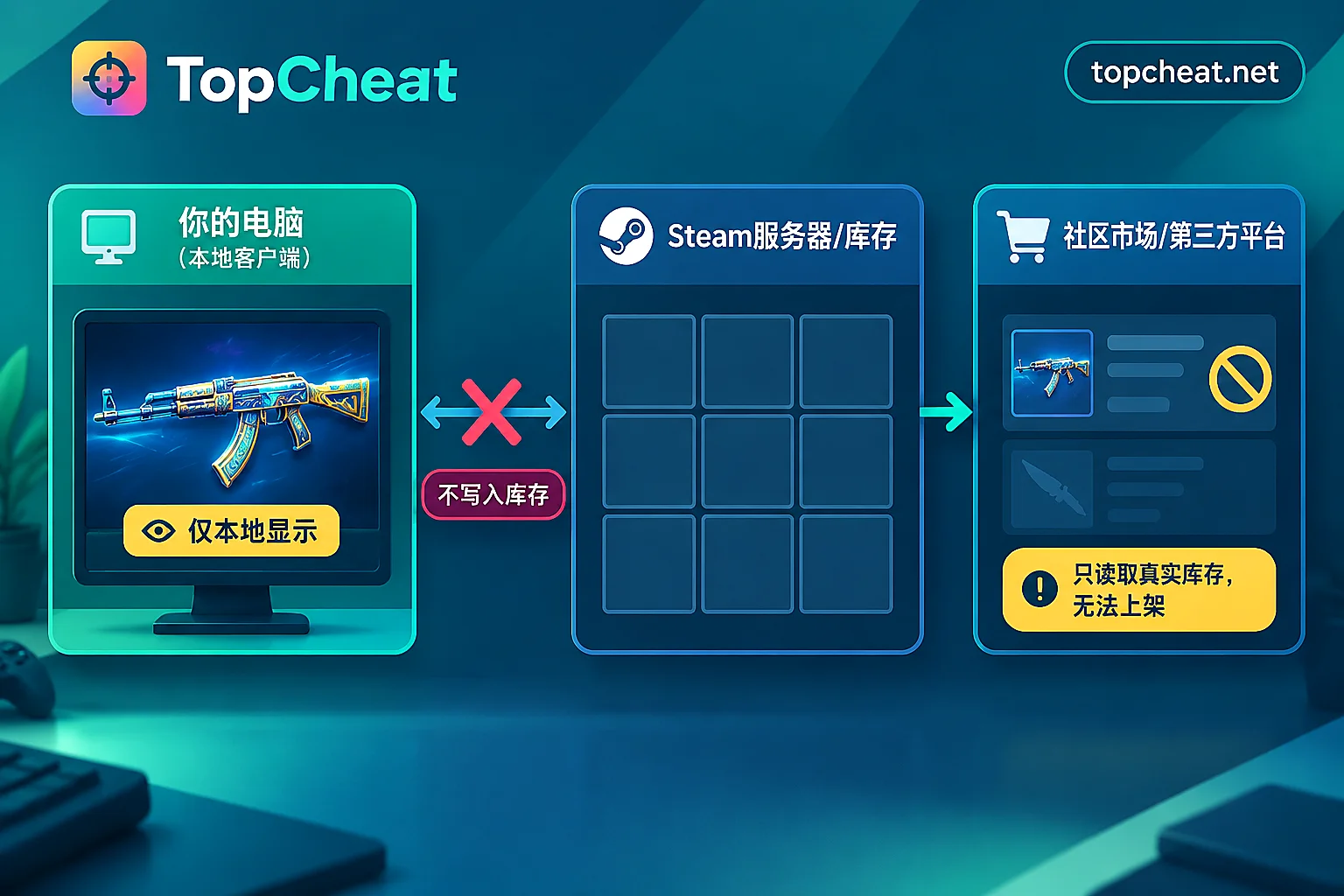
No. Knife, glove, and gun skins produced by a CS2 skin changer are only visual effects displayed on your own computer. They do not create real items. They never appear in your Steam inventory, so you cannot list them on the Steam Community Market, send trade offers to friends, or sell or cash them out on third-party skin platforms.
Below we explain why, and cover several commonly asked situations.
Why modified skins cannot be sold
A skin changer works by client-side local replacement: it changes the models and textures your device loads while the game runs, so the weapon you see is a different skin. The process never writes data to Valve's servers, and no item is added to your Steam account.
Trading requires a whole different set of things. The Steam Community Market and third-party skin platforms require items to genuinely exist in your Steam account inventory. Every real item has a server-side item ID and ownership record, and listings, trade offers, and transfers on those platforms are based on those records.
Skins generated by a changer have no item ID and no ownership record, so platforms cannot recognize them. This has nothing to do with whether you are willing to sell or how lenient a platform's review is; the trading process cannot even start at the first step.
Can others see the skins you changed?
No. The change only happens in your client, so:
- During a match: Teammates and opponents still see the skins actually equipped in your inventory; if you have none equipped, they see the default weapon.
- Spectator view: When others spectate you, they also see the skins you genuinely own.
- After death and drops: A weapon you drop that someone else picks up shows the real skin.
So if your goal is to show off a "Dragon Lore" or "Butterfly Knife" to others in a match, a changer cannot achieve that. It only changes what you see.
Several common misconceptions
"I took a screenshot or recorded an inspect animation, so can I count that as owning this skin?"
No. Screenshots and recordings only prove that your local screen displayed the skin. When a buyer or platform verifies, they check the inventory; if it's not there, it doesn't count.
"Can I modify first, then list it on a third-party platform?"
Third-party platforms also read your items through your Steam inventory, and they cannot read a changer's effects, so you cannot create a listing.
"Someone says his changer skins can be transferred to me."
Based on the mechanics above, a locally modified skin has nothing that can be transferred. If the other party takes payment and claims "already delivered," the most you can receive is a changer tool or config file, and no item will appear in your inventory either. When you hear claims like "changer skins are tradable" or "can be cashed out," you can treat them as invalid.
"Changer skins show wear and sticker effects—does that make them valuable?"
Visual details do not change their nature. They have no item record and no asset properties, so there is no market price to speak of.
Who is a skin changer suitable for?
Once you understand that these skins cannot be traded, a skin changer fits needs like these:
- You want to use your favorite knife and gloves on your own screen and don't care whether others can see them;
- You want to see how a skin actually feels before deciding whether to spend money on the real item;
- You were already looking for a CS2 cheat, and skin changing is just an extra visual feature alongside ESP and aimbot.
If your goal is stockpiling, reselling, increasing account value, or making opponents see your skins, a changer cannot solve that. Those needs can only be met with real items—skins obtained from cases, Steam Market purchases, or normal trades.
How skin changing is described in TopCheat's CS2 cheat
TopCheat's CS2 product page lists bone ESP, silent aim, radar, and skin changing features. The skin changing module is explicitly labeled "local display only, does not enter inventory, trading not supported." It only provides local visual effects, consistent with the mechanics described above.
Before buying, also pay attention to the operating environment. The product page explains official matchmaking/Premier and third-party competitive platforms separately; official matchmaking compatibility cannot be directly assumed for FACEIT, 5E, and similar platforms. Confirm according to the page's notes for the environment you plan to use. Version compatibility, maintenance status, and daily/weekly/monthly card prices may change; check the current page before ordering.
To view specific features and current status, visit the TopCheat CS2 cheat product page. If you also want to learn about cheat support for other games, see Which games does TopCheat support.
Summary
- CS2 skin changer skins do not enter your Steam inventory, so they cannot be traded, listed, or transferred.
- The modified effects are visible only to you; teammates, opponents, and spectators still see your real equipment.
- Claims that "changer skins are tradable or cashable" contradict the mechanics.
- To get skins that are tradable and visible to others, you can only obtain real items; a skin changer is only suitable for your own visual experience.


Comments(0)