
On October 23, 2026, Call of Duty: Modern Warfare 4 officially launched worldwide on PC (Steam, Battle.net, and Xbox PC) and consoles, with Season 1 and Warzone integration following on November 6. This places Call of Duty in a multi-title parallel period: on one side is Modern Warfare 4, which just received its October 21 day-one patch, featuring 20 multiplayer maps (including the modular dynamic map Kill Block) and the Hajin DMZ extraction mode; on the other side are Black Ops 7, still in Season 6, and Warzone Verdansk.
Whenever a new title releases and major versions alternate, players searching for "Call of Duty cheat" care about two things: first, how the features in the cheat panel are divided and which ones are useful for 6v6 versus large maps; second, during the dense patch period with new and old titles running in parallel, whether their key can go straight into the game.
According to the feature breakdown published on the TopCheat Call of Duty cheat product page, the entire solution revolves around four modules: ESP, Aimbot, UAV Radar, and Unlock All, while also providing a local overlay to prevent live-stream screenshots and machine code protection for PC. Below, we first clarify the specific roles and boundaries of these four features in actual combat, then explain what must be checked before ordering during a new title launch.
1. ESP: From Holding Angles Behind Cover in 6v6 to Surrounding Information on Large Maps
In Call of Duty, relying purely on footsteps and field of view can easily put you at a disadvantage—6v6 small maps have an extremely fast pace with frequent spawn flips; while in Warzone or 20v20 Ground War, buildings have multiple levels and dark corners are dense, so landing often puts you caught between two teams.
TopCheat's ESP module mainly lays out information behind walls and in blind spots directly on the screen. According to the sub-items published on the official website, it can be divided into four categories:
- Player ESP: Directly marks enemy players' positions, distances, and remaining health. In multiplayer 6v6 (especially maps whose structure changes per round), you can see ahead of time if someone is camping around a corner; in 20v20 or large-scale battles, you can pre-aim at flanking squads without waiting for them to fire and expose themselves.
- Equipment and Killstreak ESP: Separately highlights C4 behind doors, decoy grenades, sentry guns, and air support landing zones. Before rushing a capture point or entering a building, you can avoid door traps and reduce unnecessary equipment deaths.
- Supply and Buy Station ESP: Mainly serves large-map modes like Warzone. On landing, you can immediately see which building still has unopened supply boxes and which buy station has no campers nearby, speeding up the pace of saving money for loadouts or reviving teammates.
- Vehicle ESP: Separately color-codes SUVs, helicopters, and armored vehicles, and shows whether someone is inside, facilitating safe rotations or early avoidance of enemy vehicle rushes.
2. Aimbot and Recoil Control: Separate Tuning for Close-Range SMGs and Long-Range Burst Fire
Call of Duty has long used cross-platform matchmaking between keyboard/mouse and controller, where the controller's strong aim assist has a clear advantage in close-quarters skirmishes, while keyboard/mouse players leveling new guns with incomplete attachments face significant muzzle climb and visual shake.
To adapt to different engagement distances, the product page splits aiming assistance into several independently adjustable sub-items:
- Dual-profile Aimbot: Lock range (FOV), follow speed (smoothness), and hitbox can be set separately, and you can switch between two sets of parameters with a hotkey—for example, use a faster-following set for clearing rooms with an SMG at close range, and switch to a softer set for burst-firing with an assault rifle or marksman rifle at medium-long range.
- No-recoil control: Suppresses crosshair climb during sustained fire, keeping the latter half of the magazine near the chest line, especially useful during the leveling phase before high-tier muzzle and grip attachments are unlocked.
- Triggerbot: Automatically fires when the crosshair sweeps over a target, suitable for passive holding positions like defending objectives or covering stairwells that require extreme reaction speed.
- Target priority: Supports ordering lock-on by "lowest health" or "closest distance," preventing the crosshair from stubbornly sticking to a distant full-armor target during multi-person fights while getting eliminated by an enemy in your face.
Note that the RICOCHET anti-cheat system not only detects low-level signatures but also uses behavioral models to track abnormal input and outrageous headshot rates. In practice, if teammates and opponents frequently report you, your account can still enter a manual review list. Therefore, aimbot smoothness should not be maxed out, and the headshot ratio should be controlled. Treating cheats as information and feel compensation is far safer than turning every match into a showmatch.
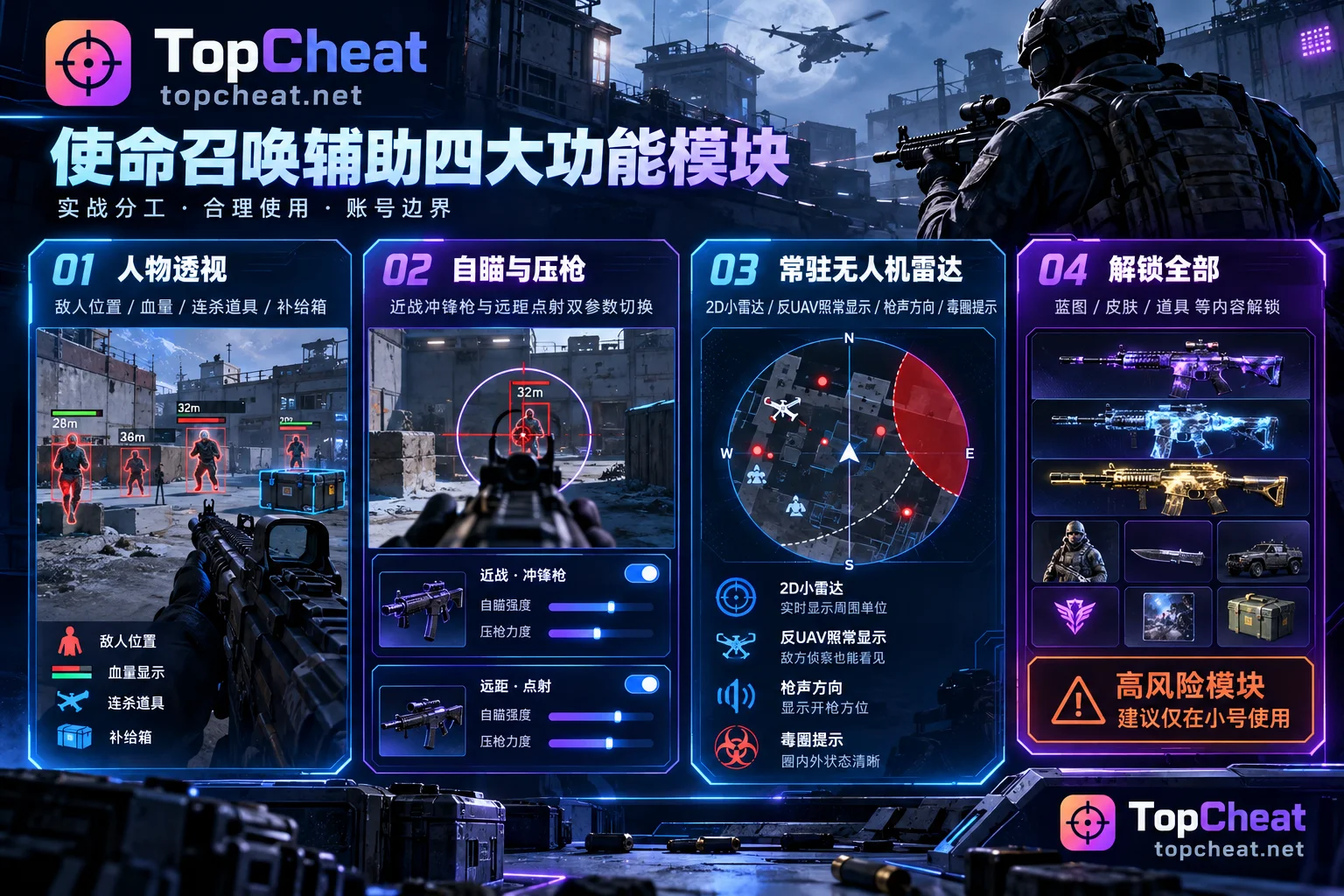
3. UAV Radar: Permanent Battlefield Intelligence Unaffected by Counter-UAV
Many players can't distinguish why "ESP" and "UAV Radar" need to coexist. Simply put, ESP solves cover duels within your forward field of view, while UAV Radar solves 360-degree global movement and third-party timing.
In official matches, a regular UAV not only requires killstreaks or money to activate, has limited duration, but is also countered by enemy Counter-UAV (CUAV) or the Ghost perk (for example, a recent patch specifically adjusted UAV health and counter logic). The UAV Radar module in the cheat panel provides independent intelligence that persists for the entire match:
- Permanent 2D mini-radar: Fixed in the corner of the screen, real-time refreshing the movement and facing direction of the entire enemy team around you; even if the enemy activates Counter-UAV, this radar continues to display normally.
- Gunshot direction and distance indicators: The screen edge directly marks the direction and approximate distance of gunfire outside your field of view. In Warzone, you can first see which two teams are fighting, actively avoid the frontal chaos, and enter to clean up after they've weakened each other.
- Squad and partial-squad identification: Who is on which team and how many players remain in each squad is clear at a glance, making it easier to catch isolated stragglers or weakened squads that just finished a fight.
- Circle and airdrop predictions: Provides the next safe zone location and airdrop landing point in advance, so rotation routes don't rely on guessing, avoiding being forced to run along the circle edge in the final seconds.
4. Unlock All: Saves Repetitive Grinding but Account Purpose Must Be Clarified
Every time Call of Duty enters a new season or a new title's leveling phase, grinding weapon levels, unlocking attachment slots, and farming full camouflage consumes a lot of time. The "Unlock All and Account Tools" in TopCheat's Call of Duty cheat includes two parts:
- Unlock All: Instantly unlocks weapon blueprints, camouflages, calling cards, and emotes, saving the process of grinding from scratch.
- Weapon Proficiency Assistant: Quickly advances new weapons' attachment progress, so you don't have to struggle with a bare-bones gun on every map.
Here is a boundary that directly affects your account safety: According to the explicit notice on the official product page, "Unlock All" is a high-risk module and is recommended for use only on alternate accounts (casual/test accounts). If your main purpose is to play Warzone ranked long-term or team up with friends on your main account, it is recommended to only enable ESP, permanent radar, and aimbot with mild parameters, and not use the one-click unlock on your main account.
5. MW4 Launch and Multi-Title Parallel Period: What 4 Things Must Be Checked Before Ordering?
Because Call of Duty includes multiple parallel titles (Black Ops 7, Warzone, and the newly released Modern Warfare 4), and every season change and day-one patch triggers anti-cheat and client signature changes, you cannot assume "anything called COD works" before buying. Please check in the following order before ordering (for more detailed troubleshooting logic, see our article "How to Check Call of Duty Cheat Compatibility: Patch, Title Mode, and Runtime Environment Verification Order"):
1. First check the real-time maintenance status at the top of the product page
Whenever Activision pushes a major patch or a new title launches, TopCheat retests the cheat, rotates version signatures, and repackages; maintenance time is automatically extended. During version transitions, the Call of Duty cheat page or the Game Cheats Catalog will publicly display whether the current status is "Safe to Run" or "Updating." If the page shows "Updating," it means the team is retesting and adapting to the latest patch; please wait until the status light returns to "Safe to Run" or confirm with 24-hour online customer service before logging in.
2. Verify the specific supported titles and game modes
Different generations of Call of Duty and, within the same title, multiplayer 6v6, Warzone (Verdansk), Zombies, or the returning DMZ extraction mode in Modern Warfare 4 do not have completely identical underlying data. The official website's original compatibility covered Black Ops 7 and Warzone Verdansk, and has been advancing parallel adaptation following Modern Warfare 4's late-October release. Before payment, check the "Supported Titles and Modes List" published on the product page that day to confirm that the client version and mode you are playing are on the support list.
3. Check PC client platform and TPM 2.0 / Secure Boot environment
TopCheat's Call of Duty cheat is only for PC, supporting Steam and Battle.net international servers. Also note that whether it's Black Ops 7 or Modern Warfare 4 launched on October 23, 2026, Activision officially requires TPM 2.0 and Secure Boot on PC. Before running the cheat, confirm that your motherboard BIOS and Windows system meet the game's own runtime prerequisites, and check compatibility with your current Windows version with customer service.
4. Choose the key specification based on your play cycle
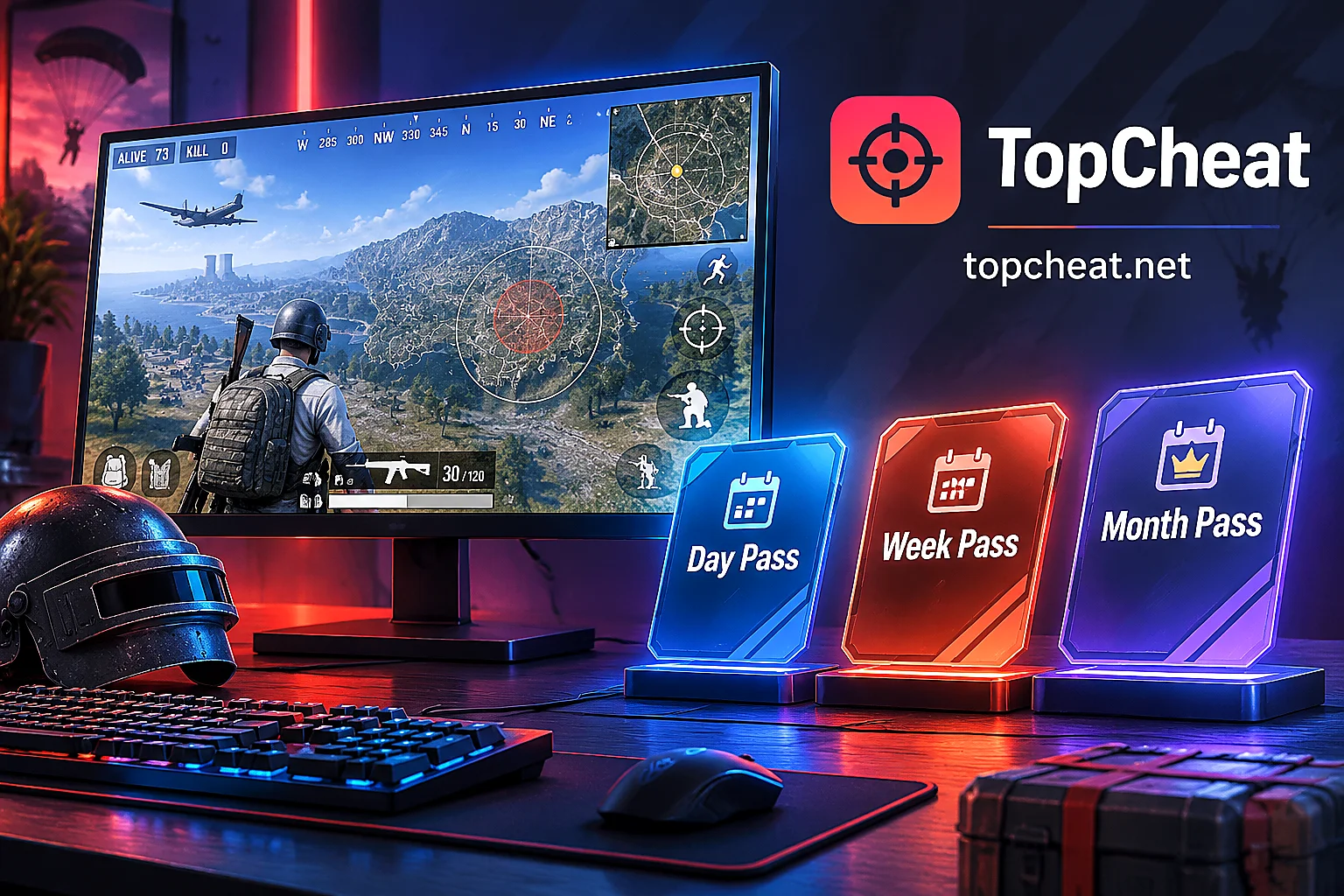
The official website uses independent billing and independent device binding rules for each game; there is no cross-game universal key (for specific differences between games, see "Which Games Does TopCheat Support: 27 Game Cheat List, and Differences in Modes, Platforms, and Sales Status"). If you just want to experience the new maps on the weekend or test compatibility with your current PC environment, you can start with a daily key; if you play Warzone or multiplayer consistently for a whole season, then choose a weekly or monthly key as needed.
To view the latest status light, supported title range, and specific pricing, go directly to the TopCheat Call of Duty cheat product page to verify, or confirm details through the customer service entrance on the page before payment.


Comments(0)