
The GTA5 cheat menu features listed on the TopCheat official website fall into four categories: money and level modification, vehicle spawning, god mode, and malicious player protection. Having a certain item in the feature list does not mean it works in every scenario you want to play. After Rockstar deployed BattlEye on the PC version of GTA Online, the operating conditions for story mode, official online, and FiveM community servers have become separate. The PC version also has two editions: Legacy and Enhanced. Before choosing, first confirm which scenario you play in and which version you use, then check the corresponding features.
What Each of the Four Feature Categories Does
Money and level modification: Directly adjust the character's funds and level, skipping the repetitive grinding process. In story mode, modifications only affect the local single-player save. In online mode, money and level are account data tied to the official servers; once flagged as abnormal, the entire online character is affected. So the same modification has very different consequences in the two modes. Which modes support this feature is subject to the current description on the product page.
Vehicle spawning: Directly spawn a specified vehicle without purchasing, unlocking, or searching for it on the street. In single-player, it is often used for free driving, filming, or testing customization effects.
God mode: The character no longer takes damage, suitable for exploring the map, filming in story mode, or repeatedly attempting a certain part of a mission.
Malicious player protection: Only useful in lobbies with other players, targeting harassment and malicious actions from others in public lobbies. In story mode, there are no other players, so this feature is not applicable.
Roughly by scenario: if you only play story mode, the first three features are mainly used; if you enter online public lobbies, you need to consider protection features, and also first solve the BattlEye issue below.
After BattlEye, Three Scenarios Are Viewed Separately
Rockstar's official support documentation on BattlEye can be summarized in three points:
- Connecting to official GTA Online servers requires BattlEye to be enabled. It is a kernel-level anti-cheat used to monitor and block the operation of cheating software and to prevent modifications to protected game code.
- BattlEye is only mandatory in online multiplayer sessions. Players can disable BattlEye in the launcher settings on each platform and then enter single-player story mode.
- Third-party community server or RP server launchers disable BattlEye at load time; connecting to community servers does not require it.
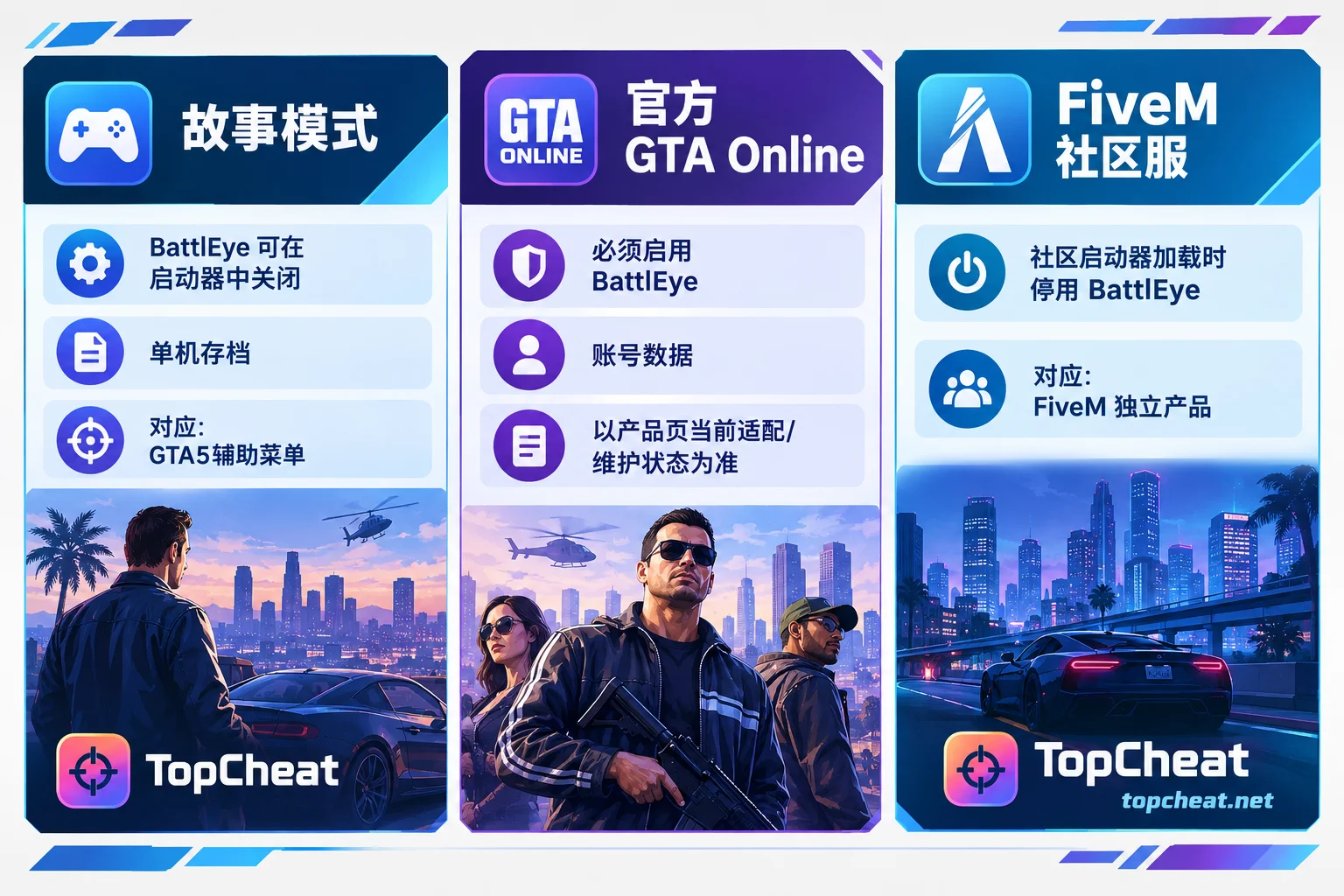
Story Mode
Officially, BattlEye can be disabled to enter story mode. This is a pure single-player scenario, and modifications only affect the local save. Even so, still confirm that the product page states story mode support and covers the PC version you are using.
Official GTA Online
This is the most restricted scenario. BattlEye must be enabled, and Rockstar may change the operation of cheats with every online update. To judge whether it can be used, look at the online adaptation and maintenance status published on the product page, not just the feature list. If the page does not explicitly mark it as currently available, do not assume it can be used. In addition, online changes affect account data, and the risk falls on your own online character. Factor this in before deciding.
FiveM Community Servers
FiveM connects through community server launchers and is not subject to the official online BattlEye requirement. However, this does not mean that the GTA5 cheat menu can be directly used in FiveM. TopCheat treats FiveM as a separate product line, with features including a Lua executor, player/vehicle ESP, aimbot, and invincibility teleport, aimed at RP servers and community server gameplay. It is not interchangeable with the GTA5 standard client menu. Each community server also has its own rules and administrators; understand them before joining.
Match Legacy and Enhanced First
The PC version of GTA5 has Legacy and Enhanced editions, and the product page marks support separately by edition. First confirm in the launcher which edition you are starting, then compare it on the page. Do not assume your edition is also available just because another edition is.
Check in This Order Before Ordering
- Determine the scenario: only story mode, official online, or mainly FiveM community servers. If you mainly play FiveM, go directly to the FiveM product.
- Determine the edition: Legacy or Enhanced, and compare item by item with the support list on the product page.
- Check status: whether it is currently under maintenance and whether the mode you want to use is marked as available. Reconfirm especially after online updates.
- Choose the duration: The GTA5 page offers daily, weekly, and monthly cards. Prices and device binding/unbinding conditions are subject to the GTA5 page. Card keys for other games are not interchangeable. If you are still unsure whether your edition and environment match, you can first buy a short duration to confirm.
After checking these items, go to GTA5 Cheat Menu Features and Current Status to view the required features, edition support, and plans. If you mainly play RP servers, go to FiveM Cheats to view the description of the Lua executor and ESP features.
If you are actually waiting for GTA6: the site's GTA6 page currently only offers free first-release notification reservations, with no products for sale. The features of GTA5 and FiveM cannot be regarded as ready-made features for GTA6.



Comments(0)